by Michael Price (Find this book)
Windows 8.1 for Seniors in easy steps introduces the features of the
most current Windows operating system, presented with the over-50's in
mind. It uses larger type for easy reading and discusses the topics in a
clear and concise manner. It concentrates on the activities you'll want
to carry out, whether you're completely new to computers, or you're
upgrading from a previous version of Windows.
Windows 8.1 for
Seniors in easy steps helps you choose the right edition of Windows 8
for your purpose, whether you are upgrading an existing computer or
switching to a new computer specifically designed for Windows 8. It
focuses on the new Windows 8 interface and shows you how you can access
these features using a keyboard and mouse or using multitouch display
capabilities. It looks at the desktop, taskbar and search facilities
that provide the facilities associated with the Start menu of earlier
versions and also helps you customize your system to suit your way of
working. It looks at applications and the tools and gadgets that provide
the functions you need to make effective use of your computer.
Windows
8.1 for Seniors in easy steps covers home networking and homegroups,
email, internet, digital photography, music and video. It reviews the
supplementary Metro and Windows applications that are provided via the
Microsoft Store and the Windows websites. It also covers issues of
security and protection, system maintenance and keeping your system up
to date and efficient.
Covers the 8.1 update for Windows 8 which
will be released Fall 2013.-- Publisher Marketing
Tuesday, May 27, 2014
Tuesday, May 20, 2014
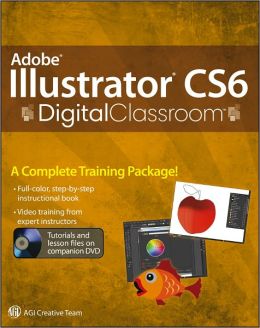
Adobe Illustrator Cs6 Digital Classroom
by Jennifer Smith (Find this book)
A highly accessible, step-by-step guide to Adobe Illustrator CS6 Illustrator CS6 Digital Classroom includes 12 self-paced lessons that contain essential skills and explore new features and capabilities of Adobe Illustrator. Every lesson is presented in full color with step-by-step instructions. -- Publisher Marketing
Tuesday, May 13, 2014
Google Nexus Tablet for Seniors: Get Started Quickly with This User Friendly Tablet
by Studio Visual Steps (Find this book)
Written specifically for older individuals who want to use the Google Nexus tablet, this guide follows an easy, step-by-step approach that has been tested by seniors and is based on practical experience. It teaches novice users how to connect to Wi-Fi, surf the internet, e-mail, plan routes, manage a calendar, take and share pictures, work with videos and music, and browse for and use a wide variety of applications--including game, puzzle, newspaper, magazine, fitness, and photo-editing apps. Suitable for Google Nexus tablets 7 and 10, this complete primer contains more than 800 screenshots, detailed instructions, large print, an extensive index, and a link to the support website. -- Publisher Marketing
Tuesday, May 6, 2014
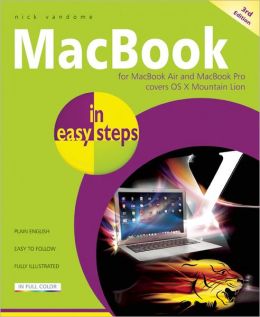
MacBook in Easy Steps: For MacBook Air and MacBook Pro: Covers OS X Mountain Lion ( In Easy Steps )
by Nick Vandome (Find this book)
MacBook in easy steps, now in its third edition, makes exploring the MacBook inspiring and a pleasure. More specifically, this primer:
Demystifies Mac jargon and MacBook versions
Explains the Dock, Desktop and the Finder
Features the essentials in OS X Mountain Lion
Shows how to customize your MacBook
Guides you through Safari and Mail
Demonstrates the Launchpad
Illustrates iPhotos, iMovie & iDVD
Teaches how to manage music with iTunes
Reveals how to find, buy and get free Apps
Makes sharing your MacBook easy
Addresses battery issues and security
Unravels iCloud
Covers using the MacBook for work & for leisure
Use this guide to buy the right MacBook for you and then to get more out of it - in easy steps!
MacBook in easy steps, now in its third edition, makes exploring the MacBook inspiring and a pleasure. More specifically, this primer:
Demystifies Mac jargon and MacBook versions
Explains the Dock, Desktop and the Finder
Features the essentials in OS X Mountain Lion
Shows how to customize your MacBook
Guides you through Safari and Mail
Demonstrates the Launchpad
Illustrates iPhotos, iMovie & iDVD
Teaches how to manage music with iTunes
Reveals how to find, buy and get free Apps
Makes sharing your MacBook easy
Addresses battery issues and security
Unravels iCloud
Covers using the MacBook for work & for leisure
Use this guide to buy the right MacBook for you and then to get more out of it - in easy steps!
Tuesday, April 29, 2014
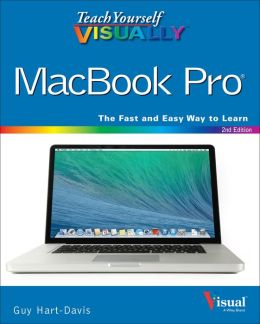
Teach Yourself Visually Macbook Pro ( Teach Yourself Visually )
by Guy Hart-Davis (Find this book)
Clear instructions to help visual learners get started with their MacBook Pro
Covering all the essential information you need to get up to speed with your MacBook Pro, this new edition provides you with the most up-to-date information on performing everyday tasks quickly and easily. From basics such as powering on or shutting down the MacBook Pro to more advanced tasks such as running Windows applications, this visual guide provides the help and support you need to confidently use your MacBook Pro to its full potential. Empowers you to perform everyday tasks quickly and easily. Covers new hardware updates, the latest version of OS X, troubleshooting, iCloud, FaceTime, and more. Walks you through working on the Mac desktop with Mission Control and Launchpad. Explains how to download applications from the Mac App Store.
"Teach Yourself VISUALLY MacBook Pro, Second Edition" is an ideal, fully illustrated guide for learning how to make the most of all your MacBook Pro has to offer. -- Publisher Marketing
Clear instructions to help visual learners get started with their MacBook Pro
Covering all the essential information you need to get up to speed with your MacBook Pro, this new edition provides you with the most up-to-date information on performing everyday tasks quickly and easily. From basics such as powering on or shutting down the MacBook Pro to more advanced tasks such as running Windows applications, this visual guide provides the help and support you need to confidently use your MacBook Pro to its full potential. Empowers you to perform everyday tasks quickly and easily. Covers new hardware updates, the latest version of OS X, troubleshooting, iCloud, FaceTime, and more. Walks you through working on the Mac desktop with Mission Control and Launchpad. Explains how to download applications from the Mac App Store.
"Teach Yourself VISUALLY MacBook Pro, Second Edition" is an ideal, fully illustrated guide for learning how to make the most of all your MacBook Pro has to offer. -- Publisher Marketing
Tuesday, April 22, 2014
iPad for Seniors for Dummies
by Nancy C Muir (Find this book)
The new iPad can do even more - get up to speed with this updated guide!
Get the most out of the newest iPad and iOS 6 software with this fun and practical full-color guide. Written in the friendly "For Dummies" style by veteran and bestselling "For Dummies" author Nancy C. Muir, this helpful guide thoroughly explains iPad basics and then some. Discover easy-to-follow tips and advice on the latest iOS 6 features and popular favorites, such as the Siri virtual personal assistant, FaceTime, Facebook integration, Safari, photo and video editing, e-books, and more.
Covers the third-generation iPad, iPad 2 and original iPad and is fully updated for iOS 6. Explains how to use the iPad in the clear, friendly, easy-to-follow language that has defined the For Dummies series for two decades. Uses senior-friendly larger fonts and full-color illustrations, making the information accessible and easy to follow. Covers exciting new features of iOS 6 and the new iPad, including Siri, Passbook, a brand new Maps app, Facebook integration, enhancements to FaceTime, Mail, Safari, Photos, and improved accessibility features for users with hearing and vision challenges. Shows the best ways to use your iPad for e-mail, games, e-books, music, videos, photos, and keeping connected with your friends and family.
Whether you use your iPad to keep in touch, keep track of your schedule, or keep yourself entertained, "iPad For Seniors For Dummies, 5th Edition" is the perfect accessory to keep at hand. -- Publisher Marketing
The new iPad can do even more - get up to speed with this updated guide!
Get the most out of the newest iPad and iOS 6 software with this fun and practical full-color guide. Written in the friendly "For Dummies" style by veteran and bestselling "For Dummies" author Nancy C. Muir, this helpful guide thoroughly explains iPad basics and then some. Discover easy-to-follow tips and advice on the latest iOS 6 features and popular favorites, such as the Siri virtual personal assistant, FaceTime, Facebook integration, Safari, photo and video editing, e-books, and more.
Covers the third-generation iPad, iPad 2 and original iPad and is fully updated for iOS 6. Explains how to use the iPad in the clear, friendly, easy-to-follow language that has defined the For Dummies series for two decades. Uses senior-friendly larger fonts and full-color illustrations, making the information accessible and easy to follow. Covers exciting new features of iOS 6 and the new iPad, including Siri, Passbook, a brand new Maps app, Facebook integration, enhancements to FaceTime, Mail, Safari, Photos, and improved accessibility features for users with hearing and vision challenges. Shows the best ways to use your iPad for e-mail, games, e-books, music, videos, photos, and keeping connected with your friends and family.
Whether you use your iPad to keep in touch, keep track of your schedule, or keep yourself entertained, "iPad For Seniors For Dummies, 5th Edition" is the perfect accessory to keep at hand. -- Publisher Marketing
Tuesday, April 15, 2014
Google Search Secrets
by Christa Burns (Find this book)
Google can be an incredibly powerful tool for research, but the top-of-the-page results are seldom the most beneficial to library users and students, and many of the search engine's most useful features are hidden behind its famously simple interface. Burns and Sauers reveal the secrets of effective Google searches in this invaluable resource showing how to get the most out of the service, with An overview of all the tool's search services, including Image, Maps, News, Blogs, Discussions, Scholar, Patents, and Books Ready-to-use instructions on how to go beyond the simple search box and top results to get library users the answers they need, fast Straightforward guidance on using filters to refine search results, with examples of common searches like images with Creative Commons licenses, news searches set for a date range or into an archive, and videos with closed captioning. An explanation of the bibliography manager feature of Google Scholar, which allows students and researchers to build bibliographies with ease. Tips for configuring Safe Search on workstations in children's departments and schools. Copious screenshots walk readers through each topic step by step, making this a true how-to guide for everyone who uses Google. -- Publisher Marketing
Subscribe to:
Posts (Atom)