Tuesday, June 16, 2015

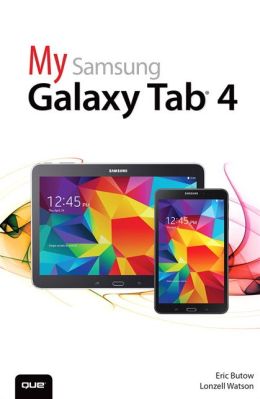
My Samsung Galaxy Tab 4 ( My... )

by Eric Butow    (Find this book)
Friendly, quick, and 100% practical, My Samsung Galaxy Tab 4 is the must-have companion for every Samsung Galaxy Tab 4 user.

  • Step-by-step instructions with callouts to photos that show you exactly what to do with the Galaxy Tab 4 10.1, Galaxy Tab 4 8.0, and Galaxy Tab 4 7.0
  • Help when you run into Samsung Galaxy Tab 4 problems or limitations
  • Tips and Notes to help you get the most from your Samsung Galaxy Tab 4
Full-color, step-by-step tasks walk you through getting and keeping your Samsung Galaxy Tab 4 working just the way you want. Learn how to
  • Navigate Samsung Galaxy Tab 4’s Android KitKat operating system
  • Retrieve, play, and manage music, video, podcasts, and audiobooks
  • Use Google Play as a portal to movies and TV content
  • Capture higher quality photos and video
  • Surf the Web quickly with the built-in browser
  • Simplify your life with the Calendar and Contacts
  • Send email, text, and multimedia messages
  • Connect your Galaxy Tab 4 to other devices and the cloud
  • Use your Galaxy Tab 4 as an eReader to read books and magazines online
  • Find and share any destination with Maps
  • Discover, install, maintain, and work with new Android apps and widgets
  • Customize your tablet to reflect your personal style and preferences
  • Keep your Galaxy Tab 4 software up to date, reliable, and running smoothly  --  Publisher Marketing

Tuesday, June 9, 2015

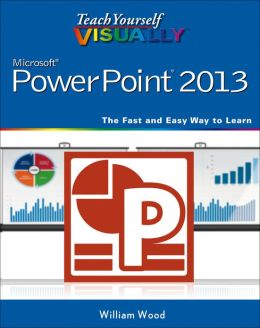
Teach Yourself Visually PowerPoint 2013

by William Wood    (Find this book)
A straightforward, visual approach to learning the new PowerPoint 2013!
PowerPoint 2013 boasts updated features and new possibilities; this highly visual tutorial provides step-by-step instructions to help you learn all the capabilities of PowerPoint 2013. It covers the basics, as well as all the exciting new changes and additions in a series of easy-to-follow, full-color, two-page tutorials. Learn how to create slides, dress them up using templates and graphics, add sound and animation, and more. This book is the ideal "show me, don't tell me" guide to PowerPoint 2013.
  • Demonstrates how to create memorable and captivating presentations using PowerPoint 2013, the latest generation of Microsoft's presentation software
  • Walks you through PowerPoint 2013's new features, including new wide-screen themes and variants, improved collaboration tools, and an enhanced Presenter View
  • Shows you how to create slides, dress them up with templates and graphics, add sound and animation, and present in a business or Internet setting
  • Features easy-to-follow, full-color, two-page tutorials 
With Teach Yourself VISUALLY PowerPoint 2013, you have the power to make a remarkable presentation!  --  Publisher Marketing

Tuesday, June 2, 2015

Help Me! Guide to the iPad Air: Step-By-Step User Guide for the Fifth Generation iPad and IOS 7

by Charles Hughes    (Find this book)
Need help with your iPad Air? The Guide to the iPad Air organizes the wealth of knowledge about the Fifth Generation iPad into one place, where it can be easily accessed and navigated for quick reference. This guide comes with countless screenshots, which complement the step-by-step instructions and help you to realize the iPad's full potential. The Guide to the iPad Air provides useful information, such as tips and tricks, hidden features, and troubleshooting advice.
You will also learn how to download FREE eBooks and how to make video calls using FaceTime. This guide discusses recent known issues and solutions that may be currently available. This information is constantly revised for a complete, up-to-date manual. Help is here!  --  Publisher's Marketing

Tuesday, May 26, 2015

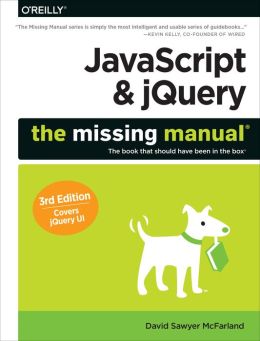
JavaScript & jQuery ( Missing Manuals )

by David Sawyer McFarland    (Find this book)
JavaScript lets you supercharge your HTML with animation, interactivity, and visual effects—but many web designers find the language hard to learn. This easy-to-read guide not only covers JavaScript basics, but also shows you how to save time and effort with the jQuery and jQuery UI libraries of prewritten JavaScript code. You’ll build web pages that feel and act like desktop programs—with little or no programming.
The important stuff you need to know:
  • Pull back the curtain on JavaScript. Learn how to build a basic program with this language.
  • Get up to speed on jQuery. Quickly assemble JavaScript programs that work well on multiple web browsers.
  • Transform your user interface. Learn jQuery UI, the JavaScript library for interface features like design themes and controls.
  • Make your pages interactive. Create JavaScript events that react to visitor actions.
  • Use animations and effects. Build drop-down navigation menus, pop-ups, automated slideshows, and more.
  • Collect data with web forms. Create easy-to-use forms that ensure more accurate visitor responses.
  • Practice with living examples. Get step-by-step tutorials for web projects you can build yourself.  --  Publisher Marketing

Tuesday, May 19, 2015

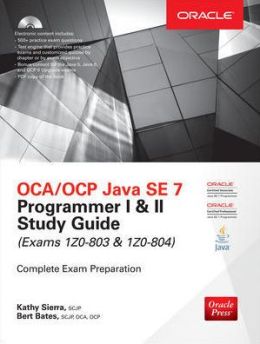
OCA/OCP Java SE 7 Programmer I & II Study Guide (Exams 1Z0-803 & 1Z0-804) [With CDROM]

by Kathy Sierra    (Find this book)
A Complete Study System for OCA/OCP Exams 1Z0-803 and 1Z0-804
Prepare for the OCA/OCP Java SE 7 Programmer I and II exams with this exclusive Oracle Press guide. Chapters feature challenging exercises, a certification summary, a two-minute drill, and a self-test to reinforce the topics presented. This authoritative resource helps you pass these exams and also serves as an essential, on-the-job reference. Get complete coverage of all objectives for exams 1Z0-803 and 1Z0-804, including:
  • Declarations and access control
  • Object orientation
  • Assignments
  • Operators
  • Strings and arrays
  • Flow control and exceptions
  • Assertions and Java 7 exceptions
  • String processing, data formatting, and resource bundles
  • I/O and NIO
  • Advanced OO and design patterns
  • Generics and collections
  • Inner classes
  • Threads
  • Concurrency
  • Java Database Connectivity (JDBC)
Electronic content includes:
  • 500+ practice exam questions
  • Test engine that provides practice exams and customized quizzes by chapter or by exam objective
  • Bonus content for the Java 5, Java 6, and OCP 6 Upgrade exams
  • PDF copy of the book  --  Publisher Marketing

Tuesday, May 12, 2015

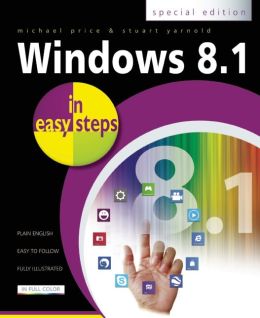
Windows 8.1 in Easy Steps: Special Edition

by Michael Price    (Find this book)
Designed for a range of hardware, from lightweight laptops to powerful desktops with high-definition screens, Windows 8 gives users the option of switching between multi-touch display capabilities and a keyboard and mouse. Smooth and intuitive, the new Windows 8 interface provides instant access to contacts, applications, and data. Windows 8.1 in Easy Steps: Special Edition explains all of these features and more, including using the desktop, taskbar, task manager, and search facilities that replaced the Start menu; accessing the system using a local account or an online account; organizing documents, pictures, and audio and music files; taking full advantage of features such as slide shows and movie players; linking Windows 8 PCs and devices to create a home network and share media files with other users; and using Internet and cloud facilities like SkyDrive. Readers will also learn about the facilities Windows 8 provides to secure, back up, and recover files and how to update and maintain the system while preserving its performance.  --  Publisher Marketing

Tuesday, May 5, 2015

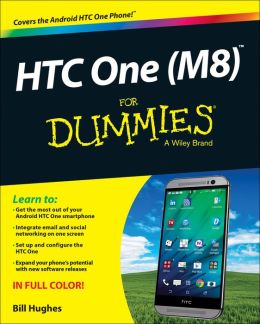
HTC One (M8) for Dummies ( For Dummies )

by Bill Hughes    (Find this book)
Get the most out of your HTC One (M8) smartphone
HTC One (M8) For Dummies is a practical user's guide to the HTC One (M8) device, covering a range of pragmatic and how-to topics, from the most useful features and tricks of the core applications to techniques to get the most out of your smartphone. Approaching the capabilities of the HTC One (M8) from the point of view of a user who is intimidated by the technology, and perhaps a bit baffled by the documentation and online support that come with the phone, this handy guide covers all aspects of the HTC One (M8) in a familiar and friendly tone.
Inside, you'll find trusted and easy-to-follow guidance on everything needed to optimize your experience with your new HTC One (M8) device: setting-up and configuring your phone; staying in touch with texting, e-mailing, and social networking; surfing the web; getting around with maps and navigation; capturing memories with photos and videos; kicking back with movies; loading up on apps; synching with a PC; and so much more.
  • Clearly explains how to integrate e-mail and social networking on one screen
  • Demonstrates why the HTC One (M8) is getting rave reviews, thanks to its amazing camera and video capabilities, battery life, form and function, and overall fantastic benchmarks
  • Shows you how to set up and configure the HTC One (M8)
  • Walks you through expanding your phone's potential with new software releases
Don't let the intimidation of technology get the best of you—let HTC One (M8) For Dummies maximize the performance of your awesome new smartphone.  --  Publisher Marketing