Tuesday, September 24, 2013

Windows 8 Visual Quick Tips

by Paul McFedries    (Find this book)
Easy-in, easy-out format covers all the bells and whistles of Windows 8
If you want to learn how to work smarter and faster in Microsoft's Windows 8 operating system, this easy-to-use, compact guide delivers the goods. Designed for visual learners, it features short explanations and full-color screen shots on almost every page, and it's packed with time-saving tips and helpful productivity tricks. From enhancing performance and managing digital content to setting up security and much more, this handy guide will help you get more out of Windows 8.Uses full-color screen shots and short, step-by-step instructions to help visual learners become more proficient with Windows 8. Covers the basics as well as innovative ideas and tricks to help you get more done in less time. Explores customizing Windows 8, managing digital content, maintaining privacy and security, enhancing operating system performance, and more.
From the basics to beyond, "Windows 8 Visual Quick Tips" will help you get everyday tasks done quickly and easily, and get more out of Windows 8.-- Publisher Marketing

Tuesday, May 28, 2013

iPod and iTunes for Dummies

by Tony Bove    (Find this book)
Get going with your iPod ; iTunes and this perennial bestseller - now in full-color!
"iPod and iTunes For Dummies" is the ultimate beginner's guide for getting started with your iPod and Apple's iTunes service. Now in its tenth edition, this helpful guide has been completely overhauled and boasts a full-color format for the first time ever. Veteran "For Dummies" author Tony Bove introduces you to the different iPod models, explains how to power up your iPod, and shows you how to set up iTunes. You'll learn to personalize your device, add music tracks from a CD to your iTunes library, set up a playlist, sync your content and apps with iCloud, and much more. Offers straightforward coverage of using your iPod as the ultimate digital music player and shows you how to choose the iPod model that's right for you, get started with your iPod, set up iTunes, master the touch interface, and shop at the iTunes Store.Teaches you how to add music tracks from a CD to your iTunes library, play content in iTunes, set up playlists, share content from your iTunes library, and manage photos and videos.Walks you through sending and receiving e-mail, downloading and using apps, fine-tuning sound, updating and troubleshooting, and maintaining battery life.Provides updates for iOS 6 and the latest iPod models and older favorites, including the iPod touch, iPod nano, iPod shuffle, and iPod classic.
Get in tune with the latest and the greatest music, videos, and more! "iPod and iTunes For Dummies, 10th Edition" puts you on track to enjoying iTunes and your iPod today. -- Publisher Marketing-

Tuesday, May 21, 2013

Ipad for Dummies

by Edward C Baig    (Find this book)
Brilliant, full-color guide to all things iPad - updated for iOS 6!
Apple's amazing iPad continues to get better and better, and iOS 6 brings even more incredible features to the incredible iPad. If you want to get the very most out of your iPad, this is the book for you. Mac experts and veteran For Dummies authors Edward Baig and Bob "Dr. Mac" LeVitus guide you through the iPad basics before moving on to the latest features including Siri, Passbook, Facebook integration, a brand new Maps app, and enhancements to your favorite features like FaceTime, Safari, Mail, Photos, and so much more.Covers the third-generation iPad, iPad 2 and original iPad and is fully updated for iOS 6. Gets you up to speed on the multitouch interface, setting up your e-mail account, getting connected, filling your iPad with amazing apps and cool content, and more. Shows you how to do tons of stuff, including how to order around your Siri virtual personal assistant, make video calls with FaceTime, unveil the iPod in your iPad, curl up with a good iBook, and get organized with Reminders. Includes tips on protecting your information, troubleshooting, connecting wirelessly, adding contacts, and using your iPad as a personal hotspot.
From the bread-and-butter basics to the very coolest of features, "iPad For Dummies, 5th Edition" will make you wonder how you ever lived without your iPad. -- Publisher Marketing

Tuesday, May 14, 2013

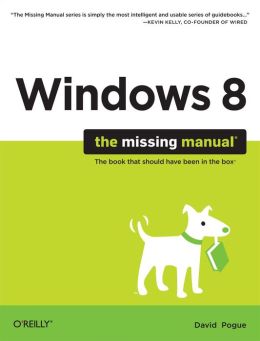
Windows 8: The Missing Manual

by David Pogue    (Find this book)
With Windows 8, Microsoft completely re-imagined the graphical user interface for its operating system, and designed it to run on tablets as well as PCs. It's a big change that calls for a trustworthy guide--"Windows 8: The Missing Manual." "New York Times" columnist David Pogue provides technical insight, lots of wit, and hard-nosed objectivity to help you hit the ground running with Microsoft's new OS.
This jargon-free book explains Windows 8 features so clearly--revealing which work well and which don't--that it should have been in the box in the first place.  -- Publisher Marketing

Tuesday, May 7, 2013

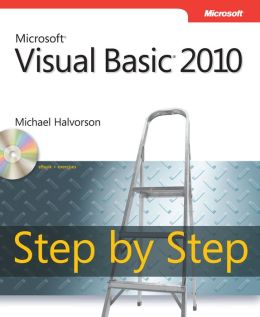
Microsoft Visual Basic 2010 Step by Step

by Michael Halvorson    (Find this book)
Your hands-on, step-by-step guide to learning Visual Basic(R) 2010.
Teach yourself the essential tools and techniques for Visual Basic(R) 2010-one step at a time. No matter what your skill level, you'll find the practical guidance and examples you need to start building professional applications for Windows(R) and the Web.
Discover how to:
Work in the Microsoft(R) Visual Studio(R) 2010 Integrated Development Environment (IDE). Master essential techniques-from managing data and variables to using inheritance and dialog boxes. Create professional-looking UIs; add visual effects and print support. Build compelling Web features with the Visual Web Developer tool. Use Microsoft(R) ADO.NET and advanced data presentation controls. Debug your programs and handle run-time errors. Use new features, such as Query Builder, and Microsoft(R) .NET Framework A Note Regarding the CD or DVD
The print version of this book ships with a CD or DVD. For those customers purchasing one of the digital formats in which this book is available, we are pleased to offer the CD/DVD content as a free download via O'Reilly Media's Digital Distribution services. To download this content, please visit O'Reilly's web site, search for the title of this book to find its catalog page, and click on the link below the cover image (Examples, Companion Content, or Practice Files). Note that while we provide as much of the media content as we are able via free download, we are sometimes limited by licensing restrictions. Please direct any questions or concerns to booktech@oreilly.com. -- Publisher Marketing

Tuesday, April 30, 2013

Social Media for Seniors: Personal and Business Communication Through Social Networking

by Studio Visual Steps    (Find this book)
Social media such as Facebook and Twitter have become an undeniable--and seemingly inescapable--aspect of modern culture and daily communication, and this helpful guide provides the ins and outs of social media for seniors so that all levels of tech savvy can participate and connect with the enormous established social media population. Using approachable step-by-step instructions and featuring screenshots throughout for easy reference, this book focuses on the basics of social media, including creating accounts across the different platforms, adding personal information and photographs, building friend groups, privacy settings, and tips for business use. From keeping in touch with family and reconnecting with friends to marketing and growing a business or managing clubs and organizations, this guide introduces seniors to the social media scene with all the essential tools for establishing their online presence. -- Publisher Marketing

Tuesday, April 23, 2013

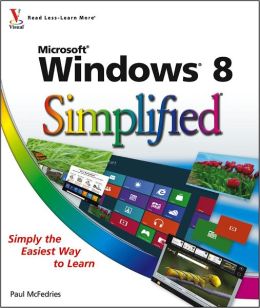
Windows 8 Simplified

by Paul McFedries    (Find this book)
The easiest way for visual learners to get started with Windows 8.
The popular "Simplified" series makes visual learning easier than ever, and with more than 360,000 copies sold, previous Windows editions are among the bestselling Visual books. This guide goes straight to the point with easy-to-follow, two-page tutorials for each task. With full-color screen shots and step-by-step directions, it gets beginners up and running on the newest version of Windows right away. Learn to work with the new interface and improved Internet Explorer, manage files, share your computer, and much more.Perfect for the absolute beginner, with easy-to-follow instructions and colorful illustrations that show what's happening on the screen.  Covers Windows basics, navigating the interface, creating accounts to share a computer, customizing Windows, and working with files. Demonstrates how to browse the web with the new version of  Internet Explorer, how to use media features, and much more. The bestselling "Simplified" series is designed to make it easy for visual learners to start using new technologies right away.
"Windows 8 Simplified" gives visual learners confidence as they start using the new version of Windows quickly and easily. -- Publisher Marketing